Better decisions start with analysis
Decisionmaker helps teams turn context, stakeholder input, and insights into a clear, well-founded decision dossier.
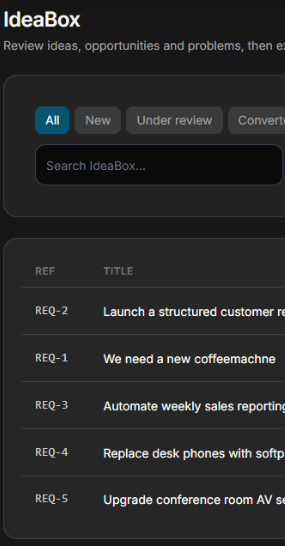
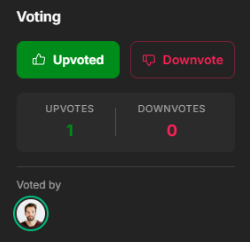
One central INBOX
Employees report issues, opportunities or ideas — management reviews, prioritises, and converts the strongest submissions into a decision project with one click. Nothing gets lost.
FREE for every employee
Employees submit via a simple form (or API): type (issue / opportunity / idea), department, priority, description and desired outcome.
Filter and prioritise
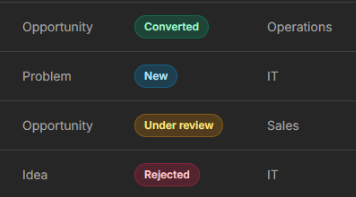
Managers filter by type, department, status and submitter — instantly seeing where the organisation feels the most pain or sees the most opportunity.
Status workflow
Every submission moves through a workflow: New → Under Review → Converted or Rejected. Submitters are kept informed.
Convert to decision
The best submissions are turned into a structured decision project with one click — with all context already pre-filled.
5 steps per project
Every stakeholder has their own responsibilities and deadlines.
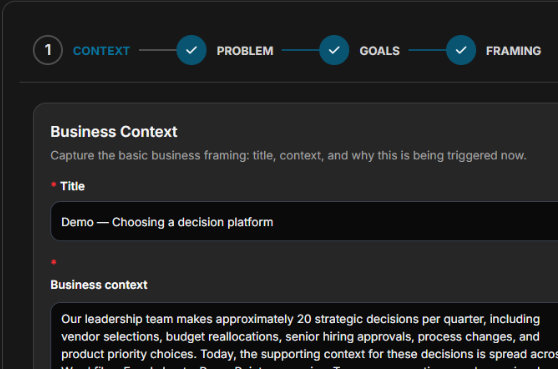
1. Context
In the Context step your team captures the trigger, strategic context, and scope of the decision. Who initiated this? Why now? What is the decision space? This is the foundation of the entire dossier.
- Trigger and timeline
- Strategic context
- Scope and decision boundaries
- Initial risk awareness
2. Stakeholders
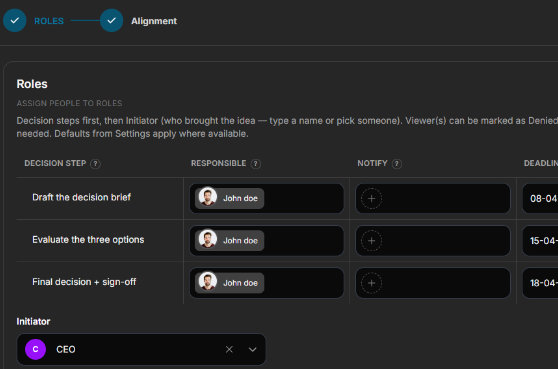
Before you analyse, you need to know who has a stake. The Stakeholders step helps you build the RACI: who decides, who advises, who is consulted, who is informed. Misalignments surface here.
- RACI mapping
- Interests and influence per stakeholder
- Approval hierarchy
- Escalation paths
3. Analyse
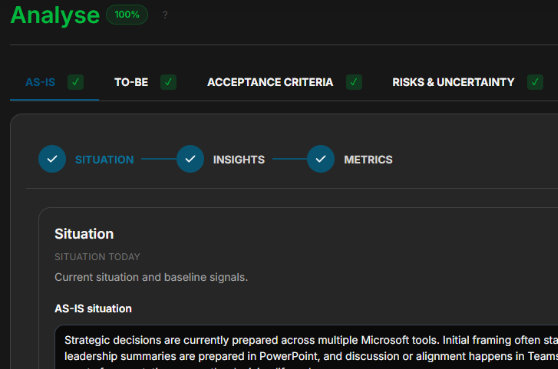
The Analyse step structures your evidence. What data do you have? What assumptions are you making? What constraints apply? What are the decision criteria against which options will be evaluated? No options yet — only foundations.
- Evidence sources and data
- Assumptions and risks
- Constraints (time, budget, technical)
- Decision criteria and weights
4. Solutions
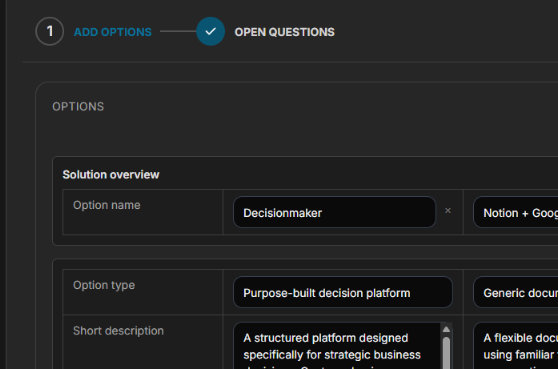
Now that criteria are fixed, you define solution options. Each option is evaluated against the same criteria — transparent and repeatable. The recommended option is developed with pros, cons and rationale.
- Option definition
- Criteria scoring matrix
- Recommended option with rationale
- Rejected alternatives documented
5. Decision
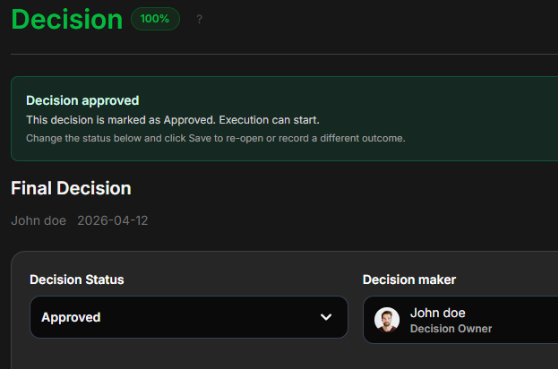
The Decision step records the formal decision: what was decided, by whom, when and with what rationale. The dossier is now complete, searchable and audit-ready — today and five years from now.
- Formal decision and rationale
- Approval signatures
- Implementation actions and owners
- Full audit trail built in
What's next?
After step five, the dossier is locked as a formal decision record. The summary document is automatically generated and fully editable — ready to export, share or archive.
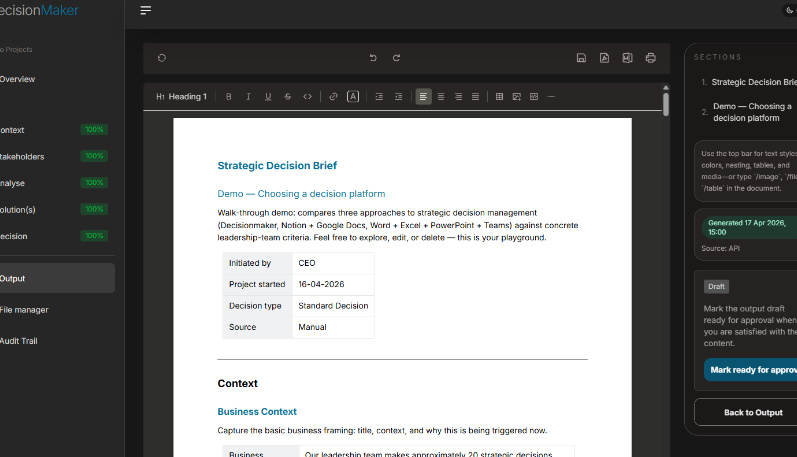
Signed decision dossier
Complete dossier with context, analysis, options and the formal decision. The summary document is autogenerated and fully editable — export as PDF or Word.
Analysis ready, project starts
Rationale, chosen option and stakeholders are locked in. Deliberation is complete — the project moves into execution without loose ends.
Export or keep it stored
Send the document to SharePoint, a shared drive or document management system — or leave it safely archived inside Decisionmaker. Your call.
Start the next issue
Every closed dossier feeds the searchable archive — past decisions become templates for new ones. The next case starts with full context, not a blank page.
FAQ
Questions about the five steps?
How the workflow fits your team, how the Analyst Agent works, and what happens to the dossier after sign-off — answered here.
Ask AlexThe five steps form a logical framework, but not every field is relevant to every decision. Fields that do not apply can easily be skipped. The platform adapts to the decision type — lighter decisions move through the structure faster, complex ones capture more detail.
Yes. The summary document is automatically assembled from the dossier at the moment of sign-off, but stays fully editable — adjust wording, add context, re-export. Exports are available as PDF and Word. The underlying dossier remains locked as the source of truth.
Yes. The document can be exported to SharePoint, shared drives or any document management system. Alternatively, the dossier stays securely archived inside Decisionmaker — searchable and always retrievable. The audit trail travels with the record wherever it lives.
A lightweight decision can be completed in a single workshop using the 5-step framework; complex multi-stakeholder decisions typically span 1–4 weeks of structured deliberation, with the dossier remaining live throughout.
Ready to make your first structured decision?
✓ Free plan: up to 5 seats · Platform demo included · Work email · No credit card